
Shading analysis customers can trust
Model shade from trees, chimneys and neighbouring buildings across the year, see which panels lose output, and put realistic production in the proposal.
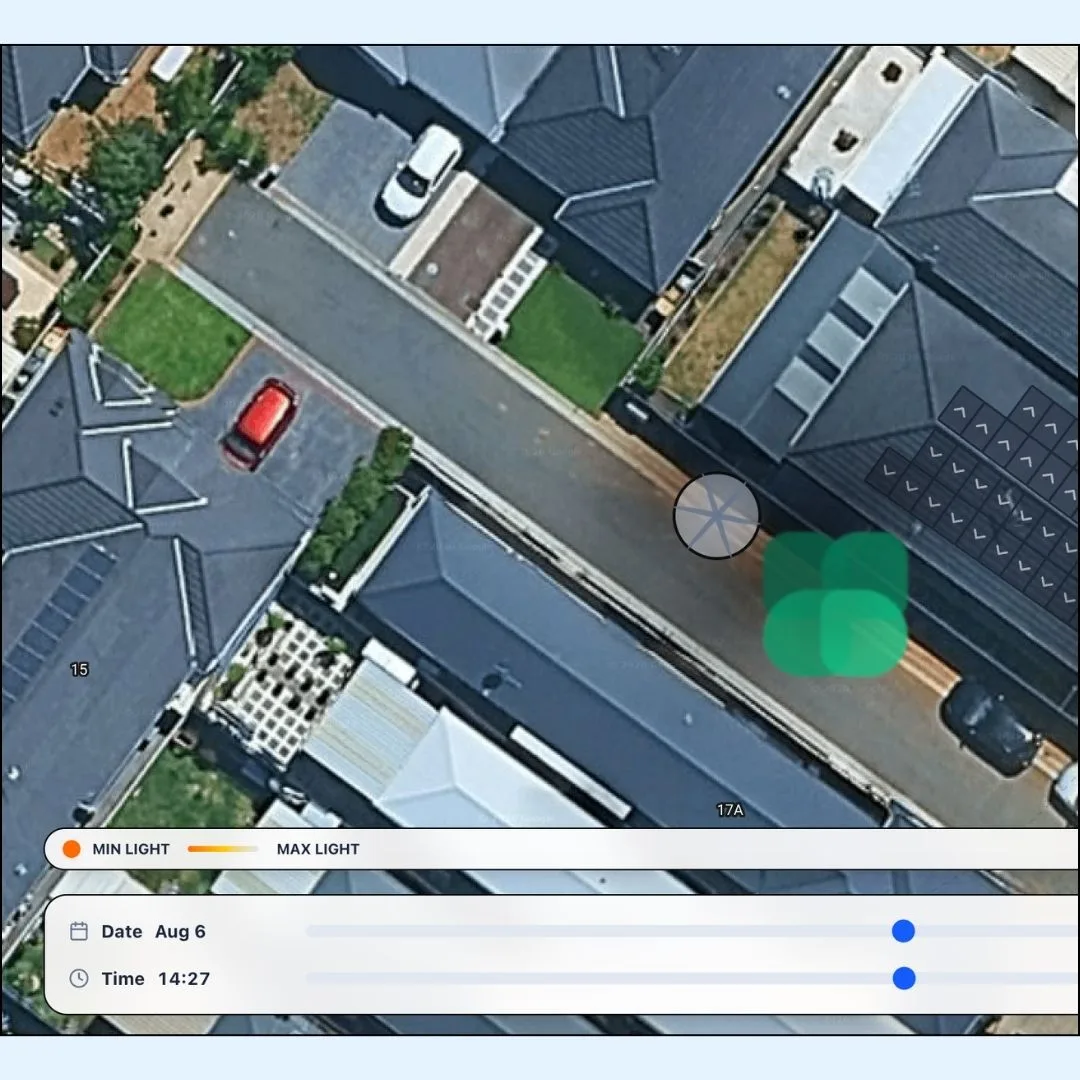
Step-by-step workflow
How it works
Each step happens inside the same job, so nothing is copied between tools.
-
Add shade objects
Mark trees, chimneys, flues and nearby buildings on the design.
-
Run the simulation
See shade move across the roof through the day and the seasons.
-
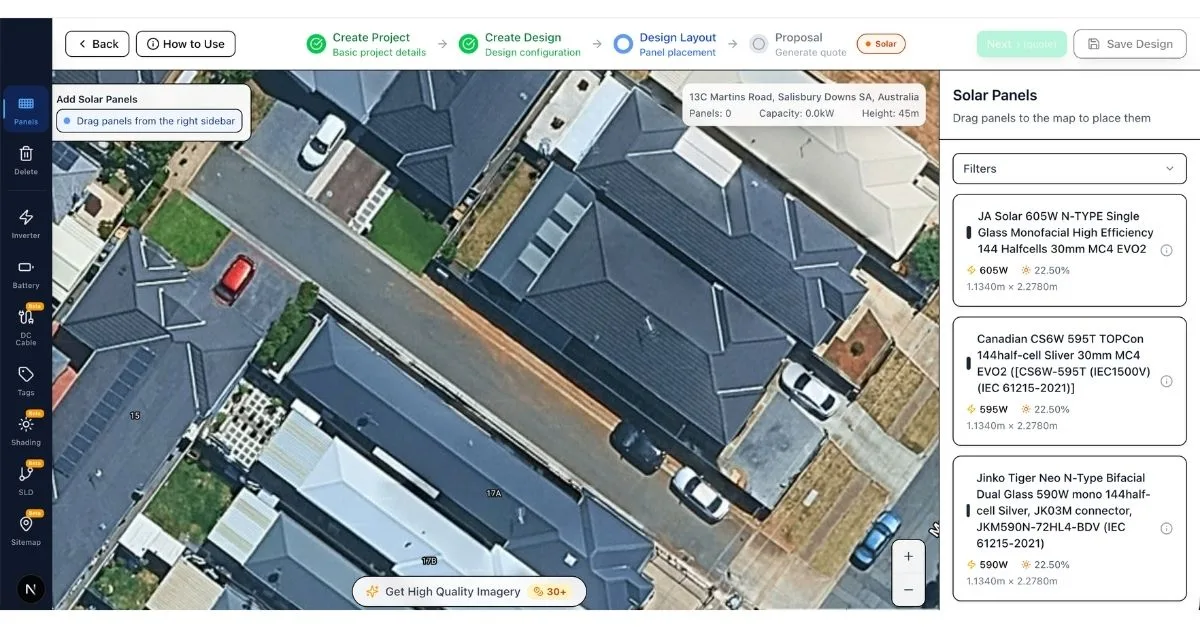
Adjust the layout
Move panels away from heavy shade before the customer ever sees the quote.
Capabilities
What you get
Everything included in shading analysis to help your team move faster from enquiry to install.
Year-round simulation
Check shade at any date and time, including winter afternoons.
Panel-level impact
See which panels are affected and how much output they lose.
Shading in the proposal
Show the customer the shade picture and the annual loss figure.
Questions installers ask
Something else on your mind? Ask the team and you will hear back within one business day.
Is shading analysis included on the Free plan?
Yes. Shading is part of every design on every plan.
Why does shading matter for the quote?
A few shaded panels can cut a string's output. Modelling it up front keeps production estimates realistic and avoids unhappy customers after install.
Connected workflow
Works together with
Connected modules that share the same customer, roof design and job record.
Quote your next solar job in AktisHub
Free plan, no credit card and no lock-in. Bring your data and we move it across for you.